Multiple Sources
Stream desktop, a single window, webcam, images, videos and more from one simple control panel.
ScreenHawkeye transforms your screen, webcam and audio into an ONVIF/RTSP camera source for any VMS or NVR.
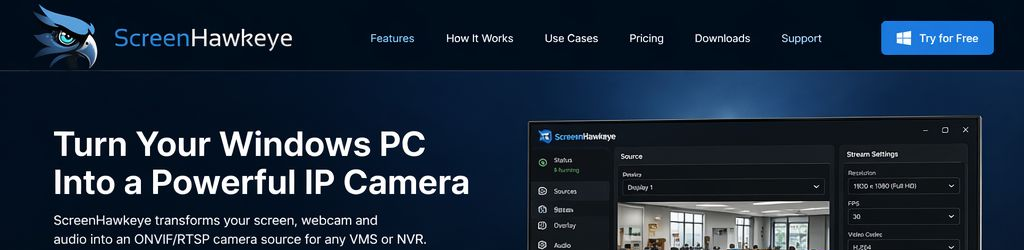
A clean and lightweight Windows app for streaming displays, webcams, videos and audio to your surveillance ecosystem.
Stream desktop, a single window, webcam, images, videos and more from one simple control panel.
Compatible with ONVIF Profile S/T and RTSP, making it easy to connect with common VMS and NVR tools.
GPU acceleration helps deliver low CPU usage, smooth streaming and high image quality.
Share system sounds and microphone audio together with your video stream when needed.
User authentication, encrypted connections and dependable streaming for professional environments.
Choose your source, configure your stream and connect it to any compatible surveillance or monitoring system.
Select what you want to share: screen, window, webcam, audio and more.
Adjust resolution, FPS, bitrate and encoding settings for the best performance.
Add the camera in your VMS or NVR using ONVIF or RTSP protocols.
Monitor live video from your PC on any compatible surveillance platform.
Perfect for businesses and organizations of all sizes.
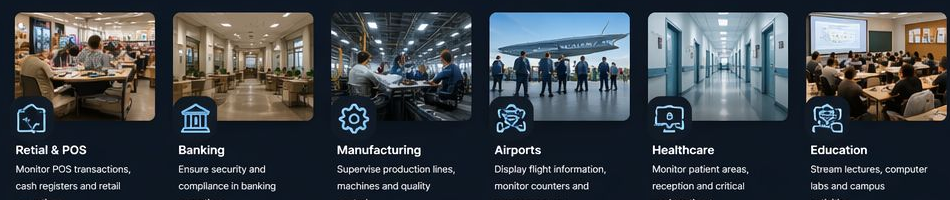
Monitor POS transactions, cash registers and retail operations in real time.
Support compliance and security use cases inside branches and back-office environments.
Supervise production lines, machine stations and quality control activities.
Display flight information, monitor counters and review passenger areas.
Monitor patient areas, reception desks and critical workflow locations.
Stream lectures, labs, campuses and computer rooms for monitoring or recording.
Choose the license that fits your needs.
Download ScreenHawkeye and start streaming today. No credit card required.